With the free PDF to plain text conversion programs, you'll be able to get all the text content of a PDF file into a TXT document. Some of the platforms we'll mention support the OCR function, which lets you get the text in scanned images. This way, you can get the text from a PDF originating from scanned documents or from a word processor.
The utilities also have other features: Extract attachments from a PDF, count the pages of a PDF, convert PDF to DOC, or select specific pages to convert PDF to text.
PDF to Text Converter
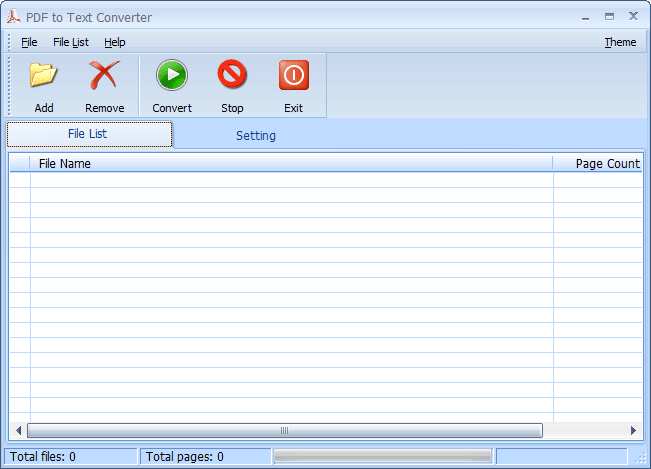
PDF to Text Converter is one of the best options in the list to convert PDF to text. From its very polished interface you can perform the following tasks:
- Convert PDF to text in batch
- Verify the number of pages present in each PDF file
- Set the page range to convert PDF to text
- Insert page breaks
- Set a destination folder to store the output text files
As you can see, you only need to insert the PDF file, set the parameters you need, and start the text conversion.

PDFMate PDF Converter
PDFMate PDF Converter you can convert PDF files to text in batch. Additionally, you can create a separate text document for each PDF, or a single document for all inserted PDFs. The platform also allows you to convert PDF to ePub, PDF to DOC, PDF to HTML, PDF to image, etc. One of the best options of the environment is recovering text from scanned documents, thanks to its OCR service. (Free OCR version limited to three pages).

Free PDF to Text Converter
If you need a simpler option, you should try Free PDF to Text Converter. From its interface, you can convert PDF files to text in batch. From the top options, you'll add the files and set the output folder to start the conversion.

ByteScout PDF Multitool
ByteScout PDF Multitool is a powerful PDF package where you can do the following tasks: Split PDF, enable the search option in a PDF, rotate PDF, convert PDF to TIFF, extract tables from PDF as CSV, XLS, and JSON, extract attachments from PDF, etc. But what concerns us, from the option Extract as TXT you can extract the text of a PDF. The environment also supports the "OCR" service to get the text from a scanned document.

PDF Technologies PDF to Text
We'll finish with PDF Technologies PDF to Text, another very good platform to convert PDF to text. The function that stands out is the ability to extract the images from the PDF file (text and images are saved separately). You can also determine the page range of the conversion and convert password-protected PDFs, among other options.


With the five free programs to convert PDF files to plain text, you'll have several options to choose from.