
GitHub is one of the most important software development and version control platforms on the Web. Over the years, many creators have turned their GitHub profiles into “official pages” for all kinds of projects, but there is a small inconvenience: the interface leaves much to be desired. If you want to download a program from GitHub or extract a specific element and you don't know where to start, this tutorial will be very useful.
GitHub, a strange creature
Personally, I visit GitHub several times a day, and I have no major problems finding what I need on that platform. However, after a brief exchange with our reader “gerundio” in the article dedicated to the Brisk downloader, I must admit that GitHub's overall design is not the most intuitive in the world for the end user.
In the first place, its content favors the English language, and in the second place, not all downloads are the same. For these reasons, today I will share a small basic guide to download programs from GitHub, the code of a project, and, if necessary, specific folders.
Download programs from GitHub
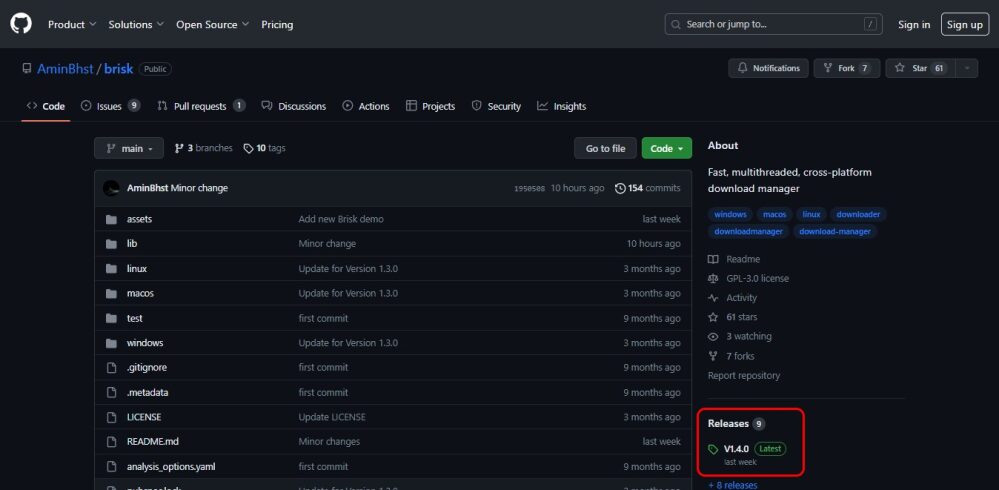
The Brisk downloader will serve as an example for this tutorial: If you want to download the latest version from the developer, you should click on the word Releases, which appears halfway down the page, and to the right of the screen. The number next to Releases is simply the number of released versions.
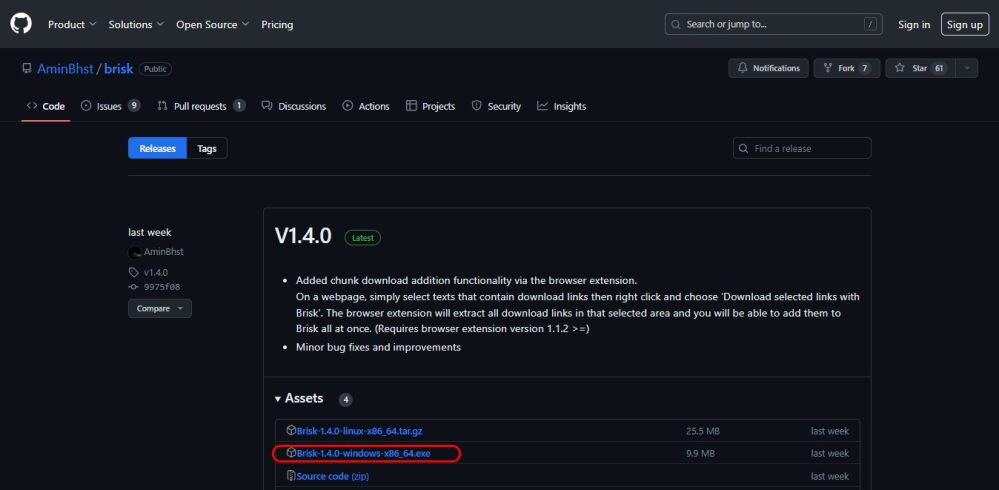
Within that section, GitHub will display information about the latest build, and the installers are located in the Assets category (sometimes you will need to click on the arrow to expand this section). Depending on compatibility, each installer will use labels such as “Windows”, “Linux”, “x64”, or “MacOS”.
How to download code from GitHub
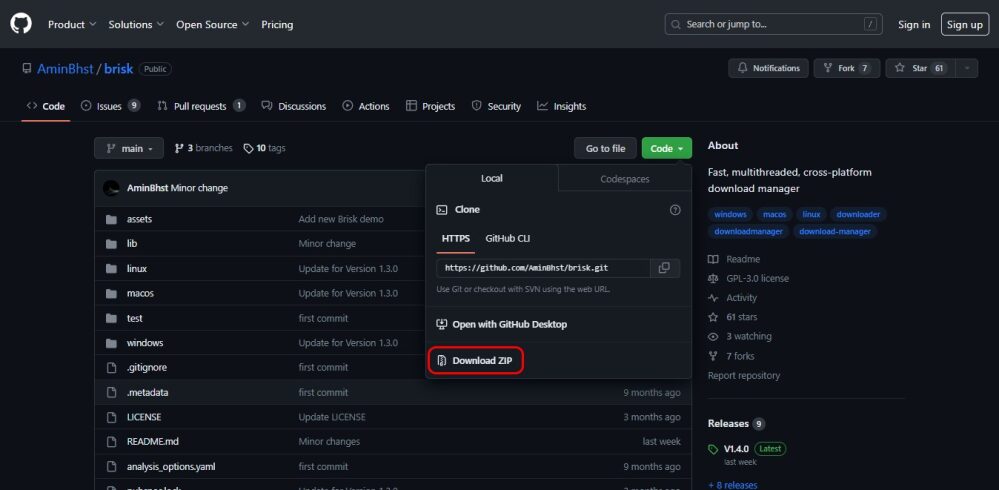
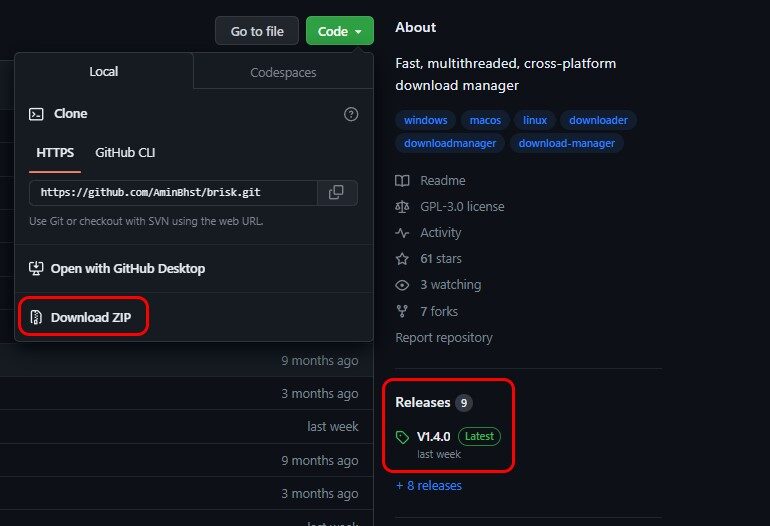
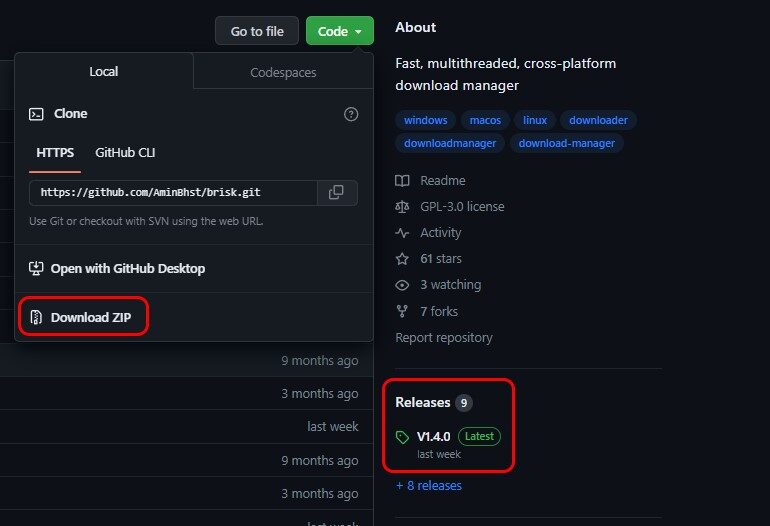
This is even simpler: Return to the main page, click the green Code button, and select the Download ZIP option. In some cases, the project does not use a traditional installer (or does not require it when dealing with documents or configuration files), and we need to download the entire structure for it to work.
How to download folders from GitHub
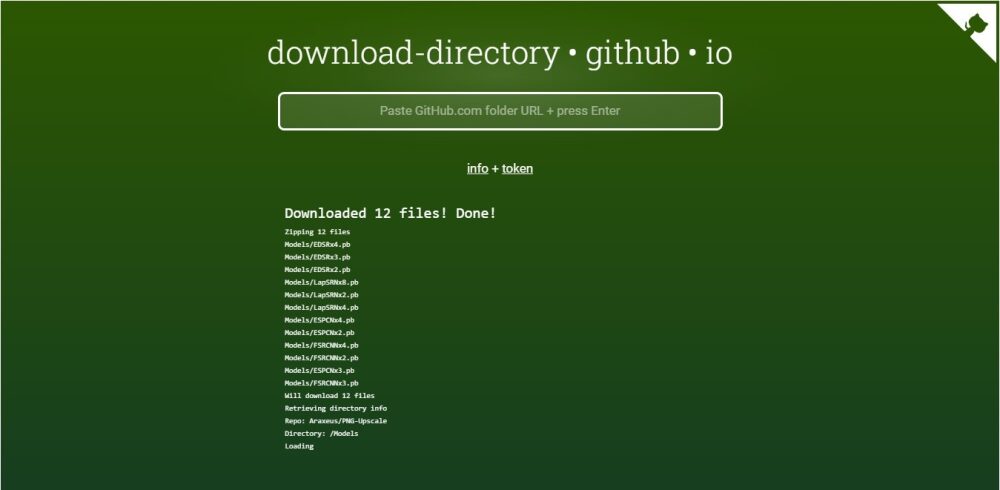
The official answer is “you can't”, since the interface does not provide any mechanism to do so. However, there are alternative solutions like GitHub Download Directory, which we recently tested. All you have to do is paste the exact path of the folder and press Enter. The site will place the content in a zip file, although it will not preserve the original structure.


