
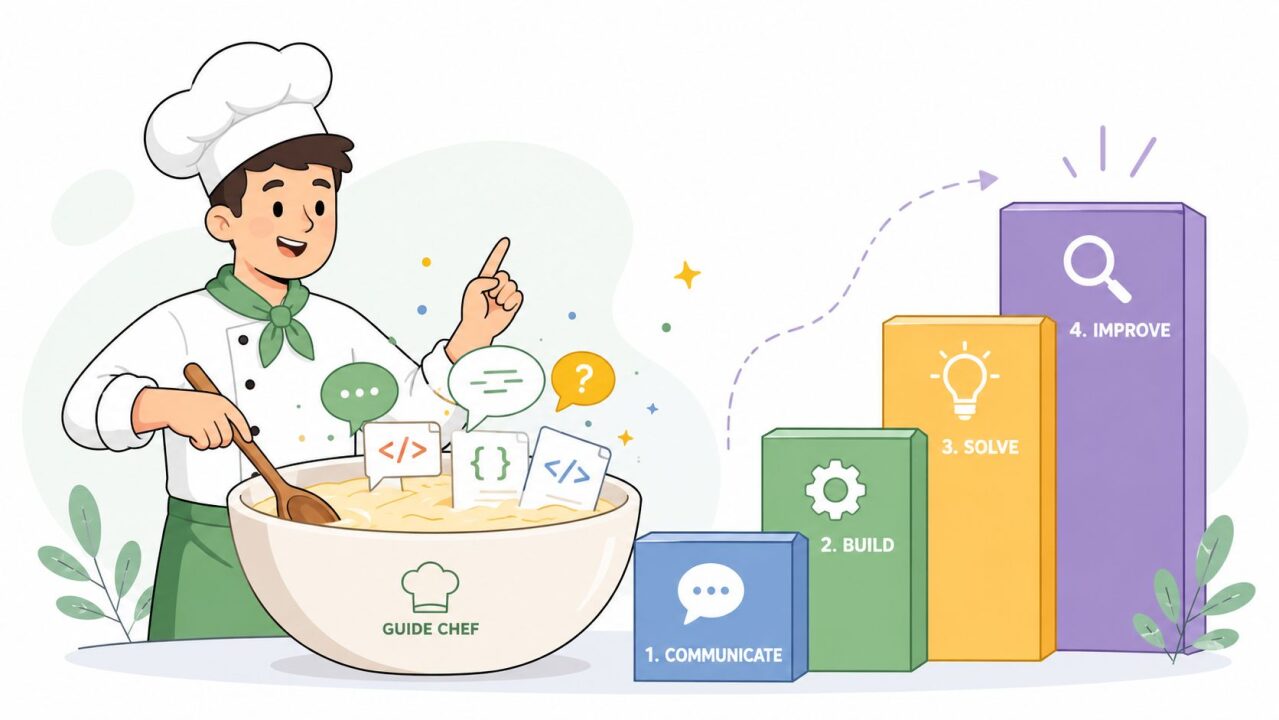
You've typed a careful prompt, hit enter, and watched the chatbot answer something that sounds polished but misses the point. Then you tweak the wording, add more detail, remove a little detail, try again, and still end up wondering whether the model is confused, or whether the instruction itself is. That gap between what you meant and what you got is exactly where a prompt engineering course earns its keep.
The hard part isn't learning to write more words. It's learning how to make instructions clearer, outputs easier to judge, and results more repeatable across real tasks. Good training turns that frustrating back-and-forth into a disciplined workflow, and the best courses teach you how to write prompts and how to evaluate them as separate skills, not one blurry habit.
Table of Contents
- The Moment Every Prompt Writer Recognizes
- What Prompt Engineering Actually Teaches
- Core Skills a Good Course Builds
- A Sample Syllabus and Project You Can Picture
- How PromptHero Can Help
- How to Choose the Right Course for Your Situation
- Common Misconceptions That Derail Learners
- Your 30 60 90 Day Practice Plan After Enrolling
- Frequently Asked Questions About Prompt Engineering Courses
The Moment Every Prompt Writer Recognizes
A student opens a chatbot to summarize meeting notes, asks for “a concise recap with action items,” and gets a response that's clean, fluent, and slightly useless. The dates are fuzzy. The owners are missing. Two decisions are merged into one. The model didn't fail in an obvious way, which makes the problem more annoying, because it looks close enough to use if you're in a hurry.
So the student tries again. More context. More examples. Maybe a role like “act as a project manager.” The answer improves a little, then drifts again on the next prompt. After a few rounds, the suspicion changes from “the AI is bad” to “I'm not asking it in a way that travels well.”
That's the starting point for most learners. They don't need a magical phrase. They need a method for turning vague intent into something the model can follow consistently, then a way to tell whether the result is good. The best prompt engineering course speaks to that exact moment, because that's where people either build a durable skill or get stuck collecting prompt tricks that only work once.
A good instructor notices another thing, too. Many learners think they need more creativity, when what they really need is more structure. They need to separate a request into parts, test the output, and keep what works.
Practical rule: if a prompt only works when you're standing over it like a coach, it isn't a real workflow yet.

What Prompt Engineering Actually Teaches
Prompt engineering is the deliberate practice of designing, testing, and refining instructions so a language model produces outputs you can use. It sounds simple because the final prompt often looks simple. The work behind it is more like editing a recipe until the dish comes out the same way every time.
Think of a prompt like a recipe
A strong prompt has ingredients. Role tells the model what kind of helper it should be. Context gives it the background it needs. Task says what to do. Constraints keep it from wandering. Output format tells it how to serve the result.
If you were cooking soup, you wouldn't just say “make soup.” You'd name the ingredients, the timing, the heat, and the bowl. Prompting works the same way. A model can't reliably infer the missing pieces just because you had them in your head.
Writing and evaluation are not the same skill
Many courses blur the line and lose learners. Prompt writing is crafting the instruction itself. Prompt evaluation is judging whether the output meets the goal. A person can be excellent at writing elegant prompts and still be bad at noticing that the answers are inconsistent, unsafe, or wrong.
A course that teaches only writing leaves you with pretty instructions and weak judgment. A course that teaches only evaluation leaves you able to critique outputs without knowing how to improve them. The useful version treats both as separate muscles, with separate exercises and feedback loops.
The distinction matters because real work doesn't end when the model replies. You still need to ask whether the result is accurate, reusable, and stable across models. That's why a serious course should teach you to change prompts methodically, compare outputs, and keep a record of what improved and what didn't.
| Skill area | What it means | Why it matters |
| Prompt writing | Designing clear, structured instructions | Gets the model closer to the target on the first try |
| Prompt evaluation | Checking output quality against a goal | Keeps polished but flawed answers from slipping through |
| Iteration | Revising prompts based on evidence | Builds repeatable workflows instead of one-off luck |
A useful way to screen any prompt engineering course is to ask whether it trains both halves of the job. If it only hands you prompt formulas, it's teaching syntax, not judgment. If it only teaches review criteria, it's leaving out the craft of construction.
Core Skills a Good Course Builds
A serious course does more than ask learners to “be clearer.” It builds habits around five skills that carry from toy examples into actual work. You notice the difference quickly when the same prompt has to handle summarization, extraction, drafting, or analysis.
1. Instruction design
This is the foundation. Learners should practice zero-shot prompts, few-shot prompts, and structured reasoning on tasks like turning meeting notes into action items. The point is not to memorize labels. It is to see how examples shift behavior and when a model needs a sample to stay on task.
2. Model behavior literacy
Good prompts are model-aware. Learners should understand token limits, context windows, and why one model may handle a task more cleanly than another. A prompt that works well in one system can break in another because the underlying model reacts differently to the same wording.
3. Iteration discipline
Strong courses treat prompts like working documents. Version logs, diffs, and A/B tests against a small set of held-out examples help learners separate real improvement from guesswork. If you cannot compare versions, you cannot tell whether a change helped or only looked smarter.
4. Evaluation
Weak courses often skip this completely, which is why graduates struggle in real jobs. Learners need rubrics, spot checks, and sampling habits. They should learn how to score outputs instead of eyeballing them and hoping the answer feels right.
5. Safety and resilience
The best courses also teach prompt injection awareness, refusal handling, and red-teaming. Those topics feel advanced, but they matter the moment prompts touch external content, user input, or workplace data. Without defensive prompting practice, learners learn how to talk to a model, not how to protect a workflow.
A course that teaches only writing produces elegant prompts with inconsistent results. A course that teaches only evaluation leaves learners able to critique outputs without knowing how to improve them. The useful version treats both as separate muscles, with separate exercises and feedback loops.
The worked-example and structured-training approach is especially useful here, because generic tips do not stick as well as guided patterns. A practical guide based on worked examples showed improvement in prompting strategies, and a randomized experiment found that ROPE training outperformed conventional instruction, with 20% versus 1% gains in a small novice sample, showing that structure matters more than casual advice in serious learning environments (arXiv study on prompt construction training).
The table below gives a quick way to compare what a course teaches.
| Skill Pillar | What It Covers | Representative Exercise |
| Instruction design | Role, context, task, constraints, format | Turn meeting notes into a structured action list |
| Model behavior literacy | Context windows, formatting limits, model differences | Run the same prompt across two models and compare failures |
| Iteration discipline | Versioning, diffing, A/B testing | Improve one prompt through three logged revisions |
| Evaluation | Rubrics, sampling, quality checks | Score outputs against accuracy, tone, and completeness |
| Safety and resilience | Injection defense, refusals, red-teaming | Stress-test a prompt with hostile or messy inputs |
A practical course uses exercises like these instead of vague encouragement. If it does not, you are probably buying inspiration, not skill.
A Sample Syllabus and Project You Can Picture

A solid beginner-to-intermediate course can be imagined as six weeks of increasingly real work. That pacing gives room for practice without pretending you'll master the craft in a weekend.
Week-by-week structure
Week 1, model literacy and token behavior. Learners compare how different models handle long inputs, short instructions, and formatting requests. Homework is a small prompt library with templates for summarization, extraction, and persona setup.
Week 2, instruction design fundamentals. Students write prompts for a simple business task, then revise them until the output stops drifting. The deliverable is a versioned prompt set, not just a polished final answer.
Week 3, advanced prompt structures. Few-shot examples, stepwise decomposition, and chain-of-thought-style structuring get introduced here. A good checkpoint is a prompt A/B test, with one version using examples and another using only instructions.
Week 4, retrieval and tool-use prompting. Learners practice getting a model to work from supplied documents rather than assumptions. If the course skips this, it's not preparing people for real workflows.
Week 5, evaluation rubrics. The class starts acting like a lab. Students build a scoring sheet for output quality, then test their prompts against a sample set.
Week 6, capstone build. The final project should look like something a manager could inspect, not just admire. A support-ticket triage workflow is a good example, because it forces clarity, routing, tone, and reliability into the same system.
A strong homework library usually contains reusable prompts for summarization, extraction, comparison tables, and style control. The point is to build assets you'll reuse later, not worksheets you'll forget after the final quiz.
Build for a workflow, not for applause. If the capstone can't survive contact with messy input, it isn't finished.
For readers who want to see how visual prompting fits into a broader workflow, this NeoTeo guide on generating images with Stable Diffusion 3 Medium is a useful companion example of how prompt structure changes output.
How PromptHero Can Help
PromptHero is useful when you want exposure to lots of prompt patterns without starting from zero every time. It's a searchable platform for prompts used in image and video generation, and it combines a catalog, community curation, and educational material in one place. For a learner who wants to see how prompts are written in the wild, PromptHero Academy is the part to bookmark first.
The strongest value is discoverability. PromptHero's catalog organizes prompts across models and themes, so you can look at community-tested phrasing instead of guessing at syntax in isolation. That matters if you're learning how prompt wording changes output across tools like Midjourney, Stable Diffusion, FLUX, or video-oriented models, because the same idea often needs different phrasing in different systems.
It also helps with reproducibility. Prompt pages that show parameters and example outputs make it easier to connect a prompt to a result, which is a practical lesson many learners miss when they only collect random text snippets. The platform's mix of browsing modes, model-specific collections, and creative generators makes it more of a working reference than a static gallery.
For someone choosing a prompt engineering course, PromptHero is not a substitute for structured instruction. It's a support layer. Use it when you want inspiration, model-specific examples, or a place to store and revisit prompt patterns while you study elsewhere.

If you're deciding whether it fits your learning style, the rule is simple. Choose it if you want a large prompt library and lightweight experimentation. Skip it if you need formal assessment, instructor feedback, or a project rubric that forces evaluation.
How to Choose the Right Course for Your Situation
The wrong way to choose a course is to start with the certificate badge and work backward. The better way is to ask four questions: what do you already know, what do you need to do, how do you learn, and what proof would convince someone else that you can do the work?
Start with your current skill level and goal
A complete beginner needs structure and repetition. A developer usually needs workflow integration, testing habits, and a clearer sense of model behavior. A product manager often needs prompt evaluation, stakeholder-friendly outputs, and enough fluency to supervise AI-assisted processes.
Your goal matters just as much. If you want practical workflow improvement, choose a course with hands-on exercises. If you want research depth, look for more technical material. If you want a resume line, be honest about whether that credential has any weight outside the provider's own ecosystem.
Match the format to how you learn
Free vendor tutorials from OpenAI, DeepLearning.AI, and Anthropic are usually the fastest way to get a baseline. They're good for fundamentals and short practice runs, especially if you're testing whether the topic is relevant to your job.
University-affiliated short courses on Coursera and edX tend to offer more structure, stronger pacing, and more visible credentialing. The scale of interest in this category is clear from Coursera's published enrollments for prompt-engineering offerings, while independent market research describes the broader course market as large and online-first, with $540 million in 2024 value and a projection to $4.12 billion by 2033, plus nearly 62% of enrollments coming from online courses in 2024 (Coursera prompt engineering specialization, Coursera essentials course).
Bootcamps from providers such as Maven, Maven AI, or General Assembly make sense when you want deadlines, live sessions, and instructor pressure. Corporate enterprise training fits teams that need common standards more than individual exploration.
Practical rule: if a course doesn't show you how to judge output quality, it's training optimism, not proficiency.
Course archetypes at a glance
| Archetype | Typical Price | Time Commitment | Credential Value | Best Fit |
| Free vendor tutorials | Free | Short and self-paced | Low outside the platform | Beginners and casual users |
| University-affiliated short courses | Paid, varies by platform | Moderate, structured | Medium for career transition support | Learners who want pacing and a recognizable brand |
| Bootcamps | Paid, usually higher-touch | Intensive and deadline-driven | Medium to high if portfolio work is strong | People who learn best with accountability |
| Corporate enterprise training | Paid by employer | Mixed, role-specific | Internal value, not public credentialing | Teams standardizing AI workflows |
A five-minute self-check
- Experience check: Do you already use AI tools weekly, or are you starting from zero?
- Goal check: Are you trying to improve a current job, build a portfolio, or switch fields?
- Format check: Do you finish self-paced courses, or do you need live accountability?
- Proof check: Would a certificate, a capstone, or a shared prompt library matter most to you?
A good prompt engineering course should match those answers, not fight them.
Common Misconceptions That Derail Learners
Three myths waste a lot of time. They sound reasonable, which is why they linger.
Myth one, a certificate guarantees a job
It doesn't. Hiring managers care far more about what you can demonstrate than the badge itself. A polished certificate without a portfolio or eval set is a weak signal, especially when the course never required you to make decisions under messy conditions.
The harm here is credential chasing. Learners spend more time collecting proof of completion than building usable skill. The better reframe is simple, treat the course as a launchpad, then build one artifact that shows your process.
Myth two, one clever prompt trick works everywhere
That's not how model behavior works. Prompts are task-sensitive and model-sensitive, so a phrase that helps with one system can backfire in another. The skill is reading failure modes and rewriting around them.
The harm here is brittleness. Students memorize hacks, then get frustrated when the trick stops working. A better approach is to test the same task across different tools and note what changes in the output.
Myth three, finishing the course makes you a prompt engineer
Graduation is the start of practice, not the end of it. Models change. Workflows change. Your prompts need logs, review, and revision to stay useful.
The harm here is plateauing. Learners stop iterating once the course ends, so their skills freeze. The better mental model is craft, not badge. You get better by using prompts in actual work, comparing outcomes, and keeping what still holds up after the novelty fades.
A simpler way to think about the whole journey is this. A course gives you structure, but your own repetition gives you fluency. If you leave with no habit for testing and no external feedback, you'll keep sounding knowledgeable while your prompts stay fragile.
Your 30 60 90 Day Practice Plan After Enrolling
The first 30 days should be about volume and observation. Write a set of prompts every day across writing, analysis, and code-adjacent tasks, then log the inputs, outputs, and your judgment in a simple spreadsheet. That habit teaches you what changes the model's behavior before you start chasing perfection.
Join two communities so your feedback doesn't come from your own habits alone. A Reddit community like r/PromptEngineering and a discussion space such as the Learn Prompting Discord give you enough variety to see how other learners solve the same problem differently. If you need a place to practice directly, the OpenAI Playground and Anthropic Console are good starting points, and open-weight models on Hugging Face help you test how prompts travel across systems.
Days 31 to 60 should be about controlled iteration. Rewrite the same prompt five ways, run it across two models, and score the outputs with a personal rubric. That rubric can be simple at first, but it needs to be specific enough that you can tell why one answer beat another.
Days 61 to 90 should be about shipping something public or shareable. Publish a small prompt library on GitHub, run a five-person user test if you can, and write down the failure modes you observed. If the library only works in your head, it's not yet a reusable asset.
Here are the warning signs that say you need to adjust course:
- Stalled consistency: you keep writing prompts, but the outputs don't get better.
- Single-model dependence: everything looks good in one tool and falls apart elsewhere.
- Vague rubric: you know an answer “feels better,” but you can't explain why.
- No external feedback: nobody else sees your prompts, so you never catch blind spots.
For people who want to run local or open-weight experiments, NeoTeo's guide to running AI models on your PC is a practical companion reference.
The four most-searched questions usually come down to the same answer pattern. Free courses are enough for hobbyists, paid courses help when you need structure and accountability, the time commitment depends on whether you're aiming for fluency or familiarity, and the skill transfers across models even when specific prompting techniques change. The 90-day mark is a checkpoint, not a finish line.
Frequently Asked Questions About Prompt Engineering Courses
Is a free course enough? Yes, if you're learning fundamentals or using AI casually. A paid course is more useful when you want projects, feedback, and a clearer path to showing work. If you're undecided, start with a free module and test one real task today.
How long does it take? Most learners need a few weeks of steady practice to get past the beginner stage, then longer to become reliable in work settings. The variable is whether you're practicing on actual tasks or just watching videos. Pick one recurring workflow and improve it this week.
Will this help my career? It can, especially if you work in product, marketing, analysis, operations, education, or development. It's a force multiplier for current work, not a standalone job title. Audit one task you already do and see where a model could save you time.
Does it transfer across models? The principles do, even if the exact wording doesn't. Clear instructions, good examples, and careful evaluation matter in most systems. Run the same prompt in two models and compare the failures, not just the successes.
If you're ready to take this seriously, choose a course that teaches both prompt writing and prompt evaluation, then build one small workflow you can test in real use. Start with a free vendor lesson if you're cautious, or a structured paid course if you need deadlines and feedback, then spend the next week measuring outputs instead of admiring them.


