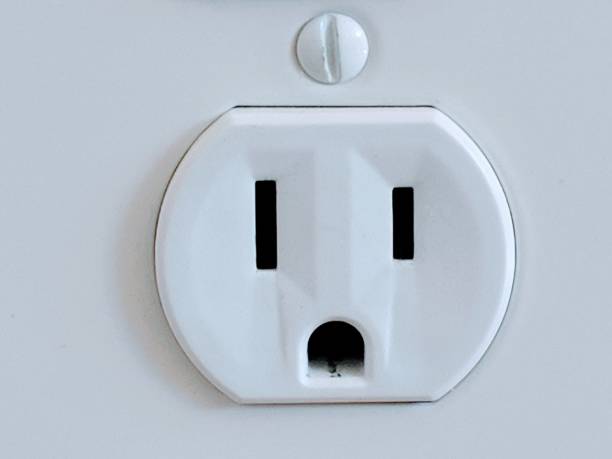
How many times have we come across a 'surprised' wall outlet, or animals 'hidden' in a cloud? The human brain is excellent at recognizing patterns, and the latest AI image generation models can create an almost infinite number of them. That's how we get to Illusion Diffusion, which uses a model originally trained to generate QR codes. Users have discovered a kind of glitch in the model, and by loading a black and white pattern, the model can reproduce it in any scene…
If there's something that can capture our attention right away, it's an optical illusion. NeoTeo is full of them: from balls of the same color to wavy lines through the 12 black dots and the boxes that don't move, we have plenty of material to melt brains for a while. But what if we want to generate those illusions? Where do we start? Fortunately, AI has a solution: Illusion Diffusion.

Illusion Diffusion: Generate images with hidden patterns using AI
It all started with a couple of viral tweets and a handful of images that spread quickly across social media. Some users traced their origin to Monster Labs QR Control Net, an offline model for Stable Diffusion that can generate QR codes shaped like monsters and other creatures. However, MrUgleh on X discovered that if we load a well-defined black and white pattern as a reference (spirals, squares, etc.), the model will follow that pattern instead of presenting a code.

That's where Illusion Diffusion comes in, a HuggingFace space that provides a more intuitive interface for Monster Labs QR Control Net. All we have to do is choose the pattern (or upload our own), define the intensity of the illusion, and enter positive/negative prompts to instruct the algorithm. As expected, users are using all sorts of patterns (some very controversial and/or NSFW), but the real problem is that Illusion Diffusion is under fire: It works… with patience.


Bonus track: Krea.ai
If anyone needs fundamental proof that AI image generation moves at the speed of light, they'll find it here. The Krea.ai platform already offers a 'patterns' section that includes advanced parameters like guidance control.

Its list of available patterns is very extensive, but I recommend adjusting its intensity a bit in some examples (say, moving from 0.8 to 0.7, or going the other way if the illusion doesn't materialize). Krea.ai doesn't require an account, and we haven't detected any limits so far. Links below!

Illusion Diffusion: Click here
Krea.ai: Click here