
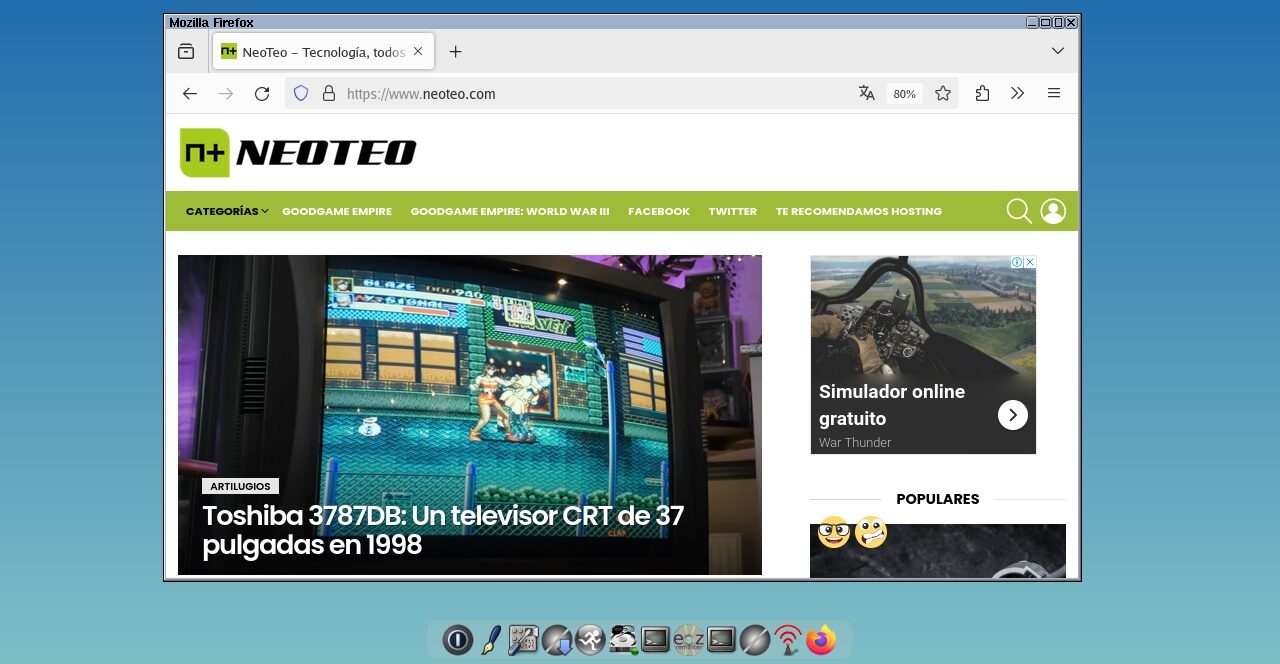
What is the absolute minimum in modern software? How much can we trim to gain performance and extend the life of old machines? The operating system is a key component when solving these questions, and one of the first suggestions on the Web is to explore the Linux universe... but we've noticed that the most popular distros have grown significantly in size. One of the most interesting exceptions is Tiny Core Linux, which still offers a special build under 20 megabytes, along with an installation image that doesn't exceed 250 megabytes.

No Linux user thinks twice about recommending their favorite distro, and beyond the inevitable "fanboyism" on the Web, there are actually solid arguments for choosing one over another. However, Linux also symbolizes exploration and learning. I mean struggling with strange dependencies, navigating outdated documentation, cursing at the terminal for an unexpected error, and celebrating when everything works correctly. Many projects have focused on creating "guardrails" for new users, but if you want to get your hands dirty this weekend, you should download a copy of Tiny Core Linux.
Tiny Core Linux, and the Art of 'Ultracompact Linux'

If the name sounds familiar, it's because it's been around for over 15 years. Tiny Core Linux is a creation of Robert Shingledecker, also known as the lead developer of Damn Small Linux, but today they've taken very different paths. While DSL returned with a profile closer to conventional distros, Tiny Core Linux keeps its philosophy intact: an ultracompact environment that loads into RAM, with applications inside a persistent section.

The standard installation of applications isn't done with a classic apt-get or similar, but rather the Apps application (pardon the redundancy) is a kind of store, and it handles fetching both the software and all necessary dependencies. In fact, applications behave in a way that reminds us of extensions, with the .tcz format. If you prefer a more traditional installation method, you'll need to familiarize yourself with the tce-load command and its modifiers.
Tiny Core Linux is available in three flavors: Core, the base system without an interface (17 MB), TinyCore, which adds X/GUI extensions to install a graphical environment later (23 MB), and the recommended version CorePlus, with multiple window managers, WiFi support, alternative keyboard configurations, and additional drivers that improve hardware compatibility (248 MB).

Still, the distro isn't meant for beginners. Although it does a good job avoiding conflicts during software setup, there are many things that require manual intervention, from installing a web browser (Firefox, in this case) to getting audio playback right (ALSA, Pulseaudio, etc.), and loading extensions at startup. Personally, I never managed to get Firefox working properly on YouTube, but I had better luck with offline playback via VLC Player.

The requirements of Tiny Core Linux are insignificant (official documents mention a 486DX with a minimum of 46 MB of RAM), and there are also versions for Raspberry Pi and other ARM computers. Link below!
(Editor's note: The official page uses HTTP, and modern browsers have something to say about that...)
Official website and downloads: Click here


